
How to run a live Chinese lesson with a shared board
Website
Teach live lets the teacher control the lesson while students read and answer on their own devices. The class board gives you a shared place to explain a sentence or character.
Prepare the lesson and call
Save and preview the lesson before class. Open the class and choose Teach live, or use the live action from a prepared lesson. Confirm the class and material before starting.
For remote teaching, open your usual external video or voice call. Keep Classroom alongside it so learners can hear you while responding on their devices. A scheduled class event can hold the call link.
Tell students what to open before you begin. They need the intended Laowai account, the correct class and a working connection. Leave time for one low-pressure practice question so they can learn the response controls.
Bring students into the same session
Use the lesson invitation when you need to bring learners directly to the session. It also invites them to the class. Send it to the intended students and check that they have joined.
The live screen shows connection state. If it says Reconnecting, allow the connection to recover and check the current question before asking students to submit.
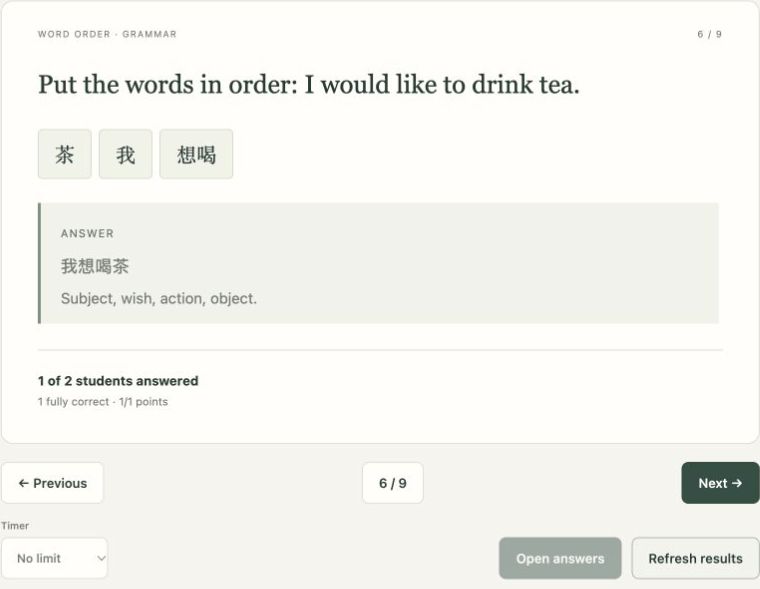
The teacher can use the presentation view for displaying material. Students use their own response view; a projected page does not replace their individual answer controls.
Move from a model to a student response
- Show the model text or example and ask what it means.
- Open the exercise when students have enough information to answer.
- Let them respond on their devices.
- Discuss the response and explanation before advancing.
For a location lesson, begin with 书在桌子上, then change one element. Ask students to place the location after 在, rather than simply repeating the complete model.
杯子在桌子上。
Bēizi zài zhuōzi shang.
The cup is on the table.
Use the class board and its writing tools to show the change. Put only the sentence or character you are explaining on the board so students can follow the correction.
End with a check and a clear next task
Use a fresh prompt to check the goal before finishing. If the lesson was about saying where something is, ask for a different object and place without showing the full sentence first.
Review the available lesson results and decide what needs another explanation. For follow-up, assign homework from the lesson. When assigning from a live session, Laowai can use the exact copy taught in that session.
Use student answers and your classroom observation to choose the next task.