
How to read your own Chinese EPUB or TXT in a browser
Website
Open a Chinese text you have permission to use, look up unfamiliar words and keep a vocabulary list beside your reading. The web library accepts TXT, FB2 and supported EPUB files.
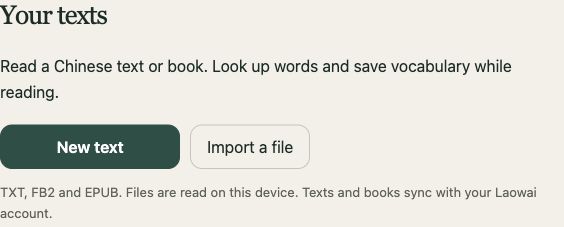
Import a readable Chinese file
- Open Library, or the Library tab inside Study.
- Choose the import action and select a TXT, FB2 or EPUB file.
- Check the title and the extracted text. For a book, use its chapter control to move through the content.
- Read a short section before importing a large collection of books.
The importer reads the file on your device. It extracts text from supported book files; it does not remove DRM or turn scanned pages into selectable Chinese. If a file is a scanned PDF, obtain a readable text edition first.
For TXT, use UTF-8, UTF-16 or a supported GB18030 text file. If a book cannot be decompressed by your browser, try a current browser or use a readable TXT or FB2 edition.
Look up a word inside its sentence
Use the reader’s word controls to open a dictionary lookup. Compare the entry with the surrounding text before saving it. A character can have several readings and meanings, and the first result may not fit the sentence.
我在看书。
Wǒ zài kàn shū.
I am reading a book.
Here 看 belongs to the phrase 看书, “read a book”. Keep that phrase in mind when you save 看; translating it as “look” everywhere will make later reading harder.
Use the Pinyin control when needed. The private reader warns that default dictionary readings can change with context. Check the full word when a pronunciation seems wrong.
Listen and export the text
The private reader offers Listen and Stop audio. Speech depends on voices available in your browser or operating system; it is separate from the source recordings in the public reading library.
Use chapter and page navigation to keep the reading manageable. Download TXT when you need a plain-text copy. Keep your original EPUB or FB2 as well: an extracted TXT is useful for study but does not preserve every feature of the original book.
For a passage with prepared translations, comprehension questions or a recording, browse the public readings instead. Importing a book does not create those teaching materials automatically.
Check where your book is saved
Read the workspace label in Study or Profile. Guest books and study data are saved in that browser. Clearing its storage or using another browser can make that local workspace unavailable.
Sign in to your Laowai account to use its sync workflow and check that it has completed before relying on another device. The legacy iCloud workspace is a separate connection. Keep a study backup and your original book files for recovery.
Importing into your library does not publish the book in the public reading catalogue. If you are preparing material for students, use Classroom’s lesson tools and check the material’s reuse terms before sharing it.